
I had a customer that wanted to list all of the DRG Attachments for a specific DRG and also output the Route Tables associated with each of these attachments.
After much playing around, I figured out that using Resource Explorer with an advanced query was the best way to do this.
I wrote the following command (with some help!), that uses the OCI CLI (running within Cloud Shell) to output this info – this will not work if run directly in Resource Explorer within the OCI Console.
Below is the command I used, which uses the structured-search OCI CLI command – you’ll need to update the items in bold prior to running, which is the OCI Region to run the query against and also the OCID of the DRG to query.
oci search resource structured-search --region uk-london-1 --limit 1000 --query-text "query drgattachment resources return drgRouteTableId where drgId = 'DRG OCID'" --output json | jq -r '.data.items[] | [."display-name" // "(no display name)", .identifier, (."additional-details".drgRouteTableId // empty)] | @tsv' | while IFS=$'\t' read -r attachment_name attachment_id route_table_id; do printf '\n=== Attachment: %s ===\nOCID: %s\n' "$attachment_name" "$attachment_id"; if [[ -n "$route_table_id" ]]; then printf 'Route table OCID: %s\nDetails:\n' "$route_table_id"; oci search resource structured-search --region uk-london-1 --limit 1 --query-text "query drgroutetable resources return allAdditionalFields where identifier = '$route_table_id'" --output json | jq .; else printf 'Route table: none assigned\n'; fi; done
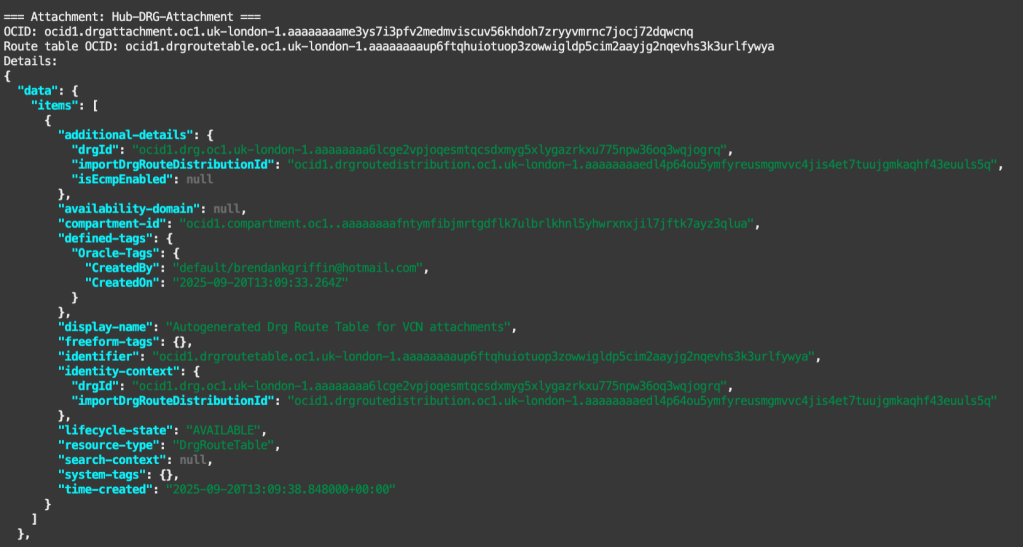
Below is an example of the output:


Leave a comment