
In my lab environment I recently went through the process of configuring identity federation between OCI IAM and Okta using the guidance within the following documentation – SSO With OCI and Okta.
I ran into an issue within Step 4 – Configure Okta when trying to save the configuration in Okta it returned the following error:
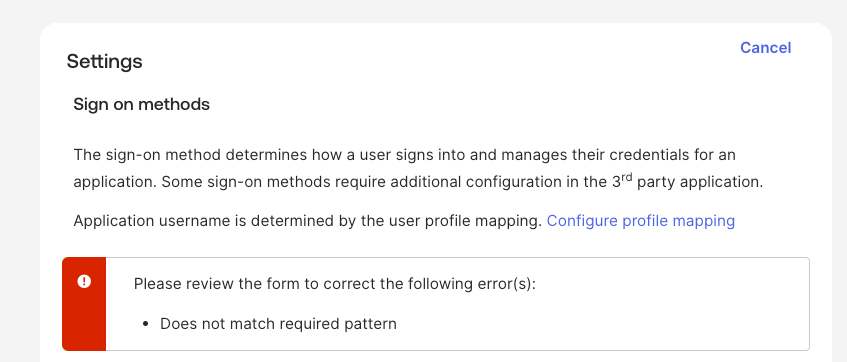
“Does not match required pattern”
Helpfully it highlighted the setting that required attention (Subdomain):
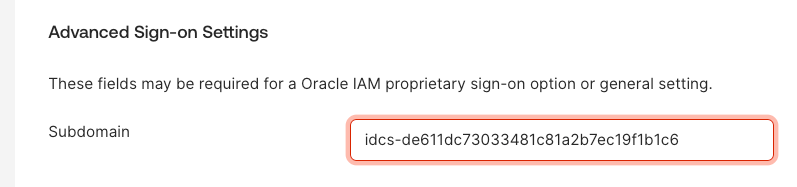
After much trial and error it turns out that this needed the subdomain only, in this case “idcs-de611dc73033481c81a2b7ec19f1b1c6” rather than the entire URL that had been obtained https://idcs-de611dc73033481c81a2b7ec19f1b1c6.identity.oraclecloud.com:443. The instructions for this are a little misleading, as they suggest it’s the entire URL.

Once I’d entered the subdomain in the correct format, I could save the settings and move on the the final step…..testing ✅.


Leave a Reply