
I’ve been playing around with the OCI AI Speech service recently, one thing I really struggled with was using the AI Speech API to create a transcription job to extract the text from an audio/video file (as I needed to automate the process).
After much head scratching (…and some help from a colleague), I was able to assemble the following Python script, this provides a function named transcribe, which can be called to submit a transcription job. The following parameters are required:
- inputfile – The name of the audio/video file to transcribe e.g. recording.mp3
- bucket – The name of the bucket that contains the inputfile to transcribe (this is also where the JSON output of the transcription job will be stored)
- compartmentid – OCID of the compartment to run the transcription job in
- namespace – The Object Storage namespace
import oci

config = oci.config.from_file()

def transcribe(inputfile,compartmentid,bucket,namespace):
    ai_speech_client = oci.ai_speech.AIServiceSpeechClient(config)
    create_transcription_job_response = ai_speech_client.create_transcription_job(
            create_transcription_job_details=oci.ai_speech.models.CreateTranscriptionJobDetails(
                compartment_id=compartmentid,
                input_location=oci.ai_speech.models.ObjectListInlineInputLocation(
                    location_type="OBJECT_LIST_INLINE_INPUT_LOCATION",
                    object_locations=[oci.ai_speech.models.ObjectLocation(
                        namespace_name=namespace,
                        bucket_name=bucket,
                        object_names=[inputfile])]),
                output_location=oci.ai_speech.models.OutputLocation(
                    namespace_name=namespace,
                    bucket_name=bucket)))

transcribe(inputfile="Name of file to transcribe",compartmentid="OCID of the compartment to run the transcription job in",bucket="Bucket that contains the file to transcribe",namespace="Object storage namespace")
For example:
transcribe(inputfile=”recording.mp3“,compartmentid=”ocid1.compartment.oc1..aaaaaaaae“,bucket=”Transcription“,namespace=”lrdkvqz1i7f9“)
When this has been executed, the transcription job can be viewed within the OCI Console.
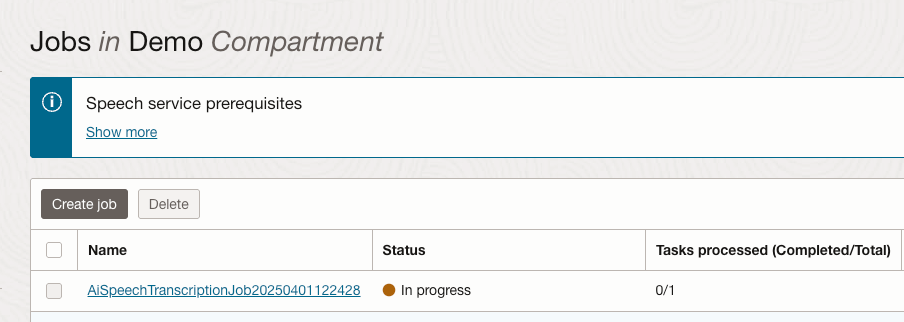
Once the job completed, the transcription was available to view from within the job (clicking the filename within the Tasks section):

Here is the transcript in all it’s glory.

The sample can also be found on GitHub.
 Brendan's Tech Ramblings
Leave a comment