
Every day is a school day – especially with OCI!
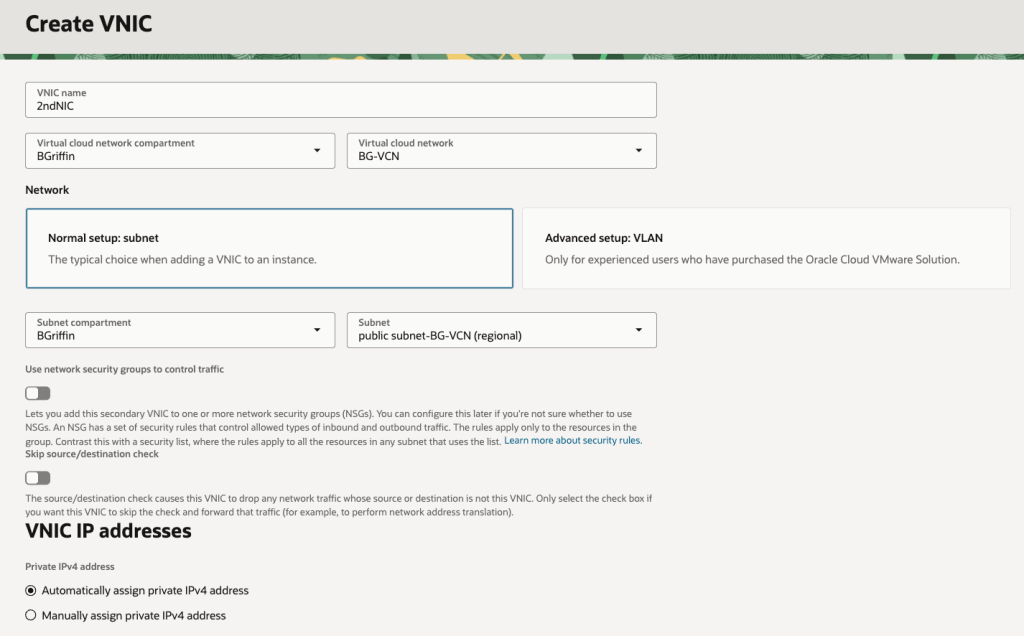
I was recently playing around in my lab and needed to add a secondary VNIC to one of my VMs for some testing that I was doing.
I quickly set about adding a secondary VNIC and used the default option of assigning an IP address automatically using DHCP rather than specifying a static IP address (I’m lazy, I know!).
I gave the server a reboot, logged in and to my surprise the shiny new secondary VNIC had acquired a nasty APIPA address (169.x.x.x) rather than the dynamic IP address that OCI had assigned (10.0.1.69) ❌:
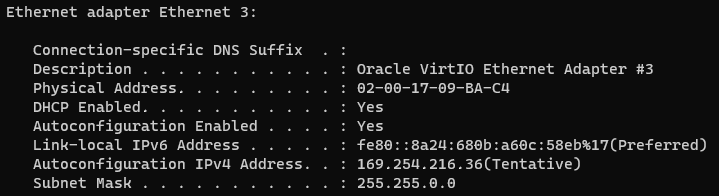
What is an APIPA address you may ask:
“An APIPA (Automatic Private IP Addressing) IP address is a self-assigned address in the 169.254.x.x range that a device uses when it cannot get an IP address from a DHCP server. This feature allows devices on a local network to communicate with each other even when the DHCP server is down, providing basic connectivity”
I deleted and re-added the VNIC, rebooted the server more times that I care to admit – but still nothing, I couldn’t get rid of this pesky APIPA IP address and get the “real” IP address that OCI had assigned (10.0.1.69).
After realising I’d sunk far too much time on this, I reached out to a colleague who is a networking whizz in OCI who informed me that OCI will only use DHCP for the primary VNIC on VM instances – for any secondary VNICs that you add to a VM instance, these must be configured with a static IP address (why oh why didn’t I ask them sooner 😫).
This is quite confusing as the OCI console allows you to add a secondary VNIC and specify DHCP – it just doesn’t work 🤦♂️.
It will even display the “dynamic” IP address that has been assigned to the instance in the console – it just won’t be picked up by the underling OS on the VM instance as DHCP doesn’t work:
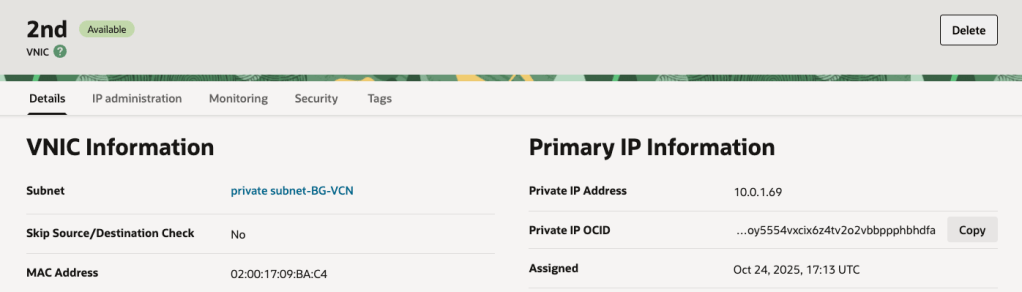
Moral of the story, when adding a secondary VNIC (or tertiary for that matter) use static IP addressing ✅.
Note that whilst this affected a Windows Server in my case, this also applies to Linux too.
Hopefully my pain, will help somebody else in the future!
 Brendan's Tech Ramblings
Leave a comment