
This is probably my most niche-ist post ever – however if it helps at least one person then it was worth writing up!
I have an OCI Tenant (Tenant A), which has a Site-to-Site VPN connection configured between my On-Premises network (my house 🏠) and Tenant A, this enables me to connect to resources within my tenant using their private IP addresses rather than using a Bastion/Jump Server – for example I can SSH directly into VM instances.
This has worked perfectly well for the last couple of years, recently I provisioned a second OCI Tenant (Tenant B) and I wanted to configure connectivity between Tenant A and B, after some research I selected the option of connecting the networks in Tenant A and Tenant B using a Remote Peering Connection (RPC) between the Dynamic Routing Gateways (DRGs) in each tenancy.
There are two other options to achieve this, however as I like a challenge, I picked the most difficult of the three options – this is also because the customer I’m working with, will likely choose the RPC option too.
To set this up, I used the step-by-step guide available here, which is excellent – I found it far better than the official documentation.
Once I had this all setup, I had the following architecture.
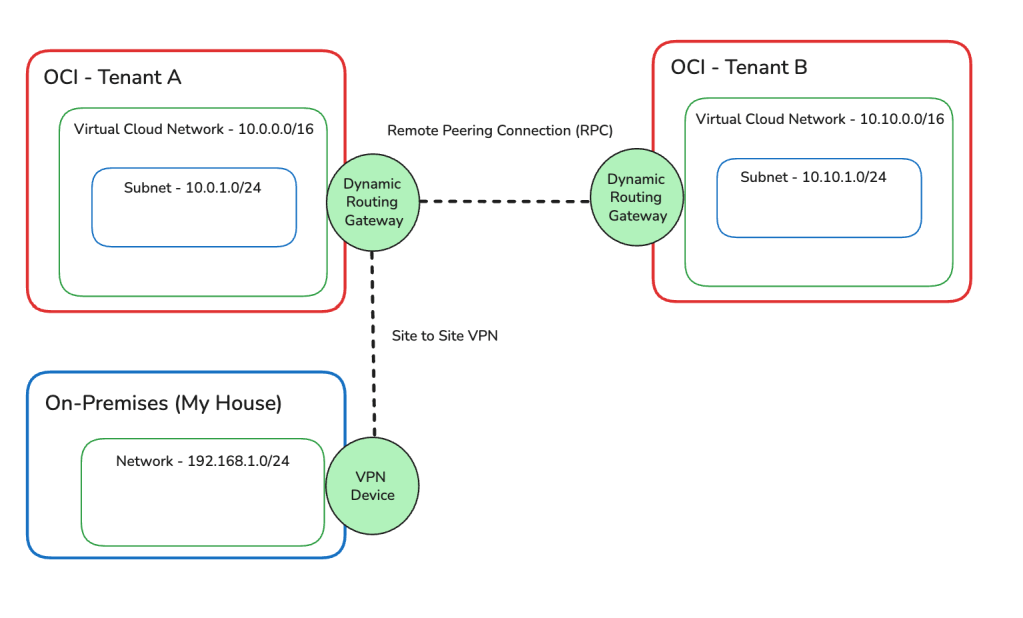
Based on my initial testing I could now do the following:
- Connect from my On-Premises network to resources in Tenant A ✅
- Connect from Tenant A to resources in Tenant B ✅
- Connect from Tenant B to resources in Tenant A ✅
I couldn’t however connect from On-Premises to resources in Tenant B ❌.
In the real-world (outside of my lab), it would be essential (in most cases) to have the ability to connect from On-Premises to all OCI tenancies – in particular when they are connected like this.
After much head-scratching and reading documentation – which is always a last resort! I figure out the problem(s) and managed to resolve the issue with my On-Premises network being unable to connect to Tenant B.
This was resolved by doing the following in Tenant A (no changes were required for Tenant B).
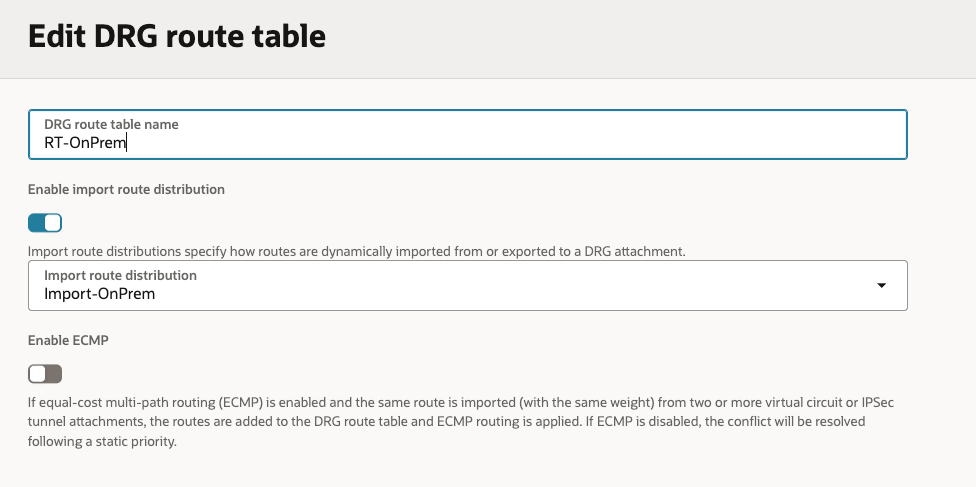
- Created 3 x Import Rule Distributions (On-Prem/RPC/VCN).
- Created 3 x Route Tables (On-Prem/RPC/VCN), associating each of these new Route Tables with the respective new Import Rule Distributions.
- Associated each Route Table with the respective Attachments (replacing the OOTB configuration).
- On-Prem > IPSec Tunnel Attachment
- RPC > Remote Peering Connection Attachment
- VCN > VCN Attachments
Here are the Import Route Distributions that I needed to create:
On-Prem Import Routes: This will enable On-Prem to see all of the routes from the VCNs and Remote Peering Connection.

Remote Peering Connection Import Routes: This will enable the RPC to see all of the VCNs and IPSec tunnel (which is the Site to Site VPN).
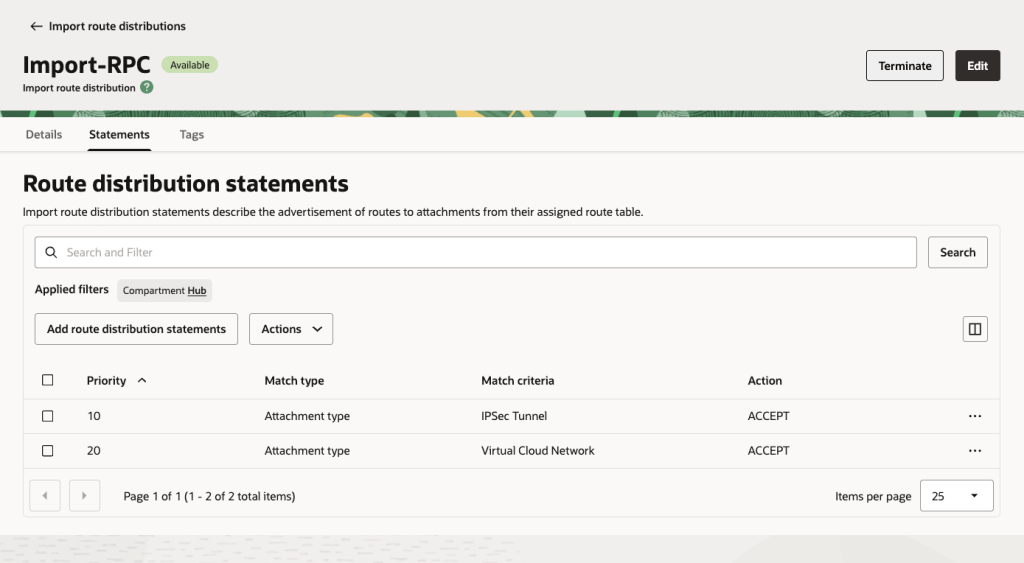
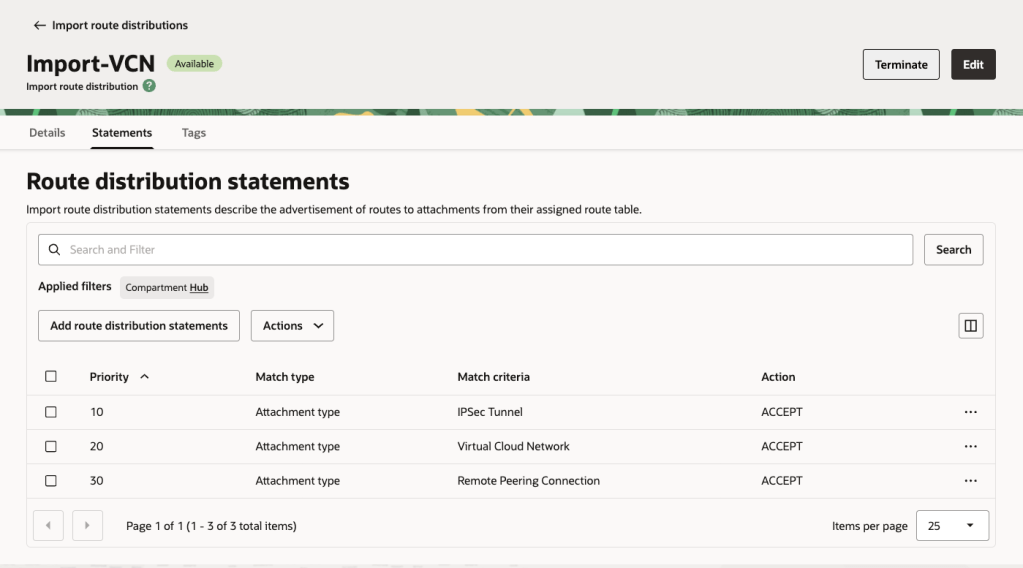
VCN Import Routes: This enables all VCNs to see all of the VCNs, RPCs and IPSec Tunnel.
Here are the Route Tables with the mapping to the Import Rule Distributions On-Prem/RPC/VCN:
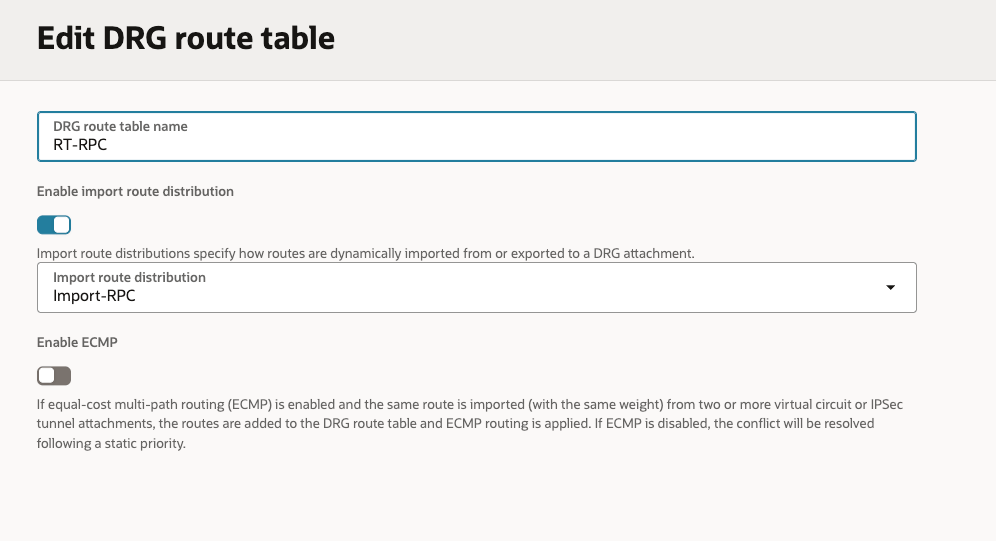
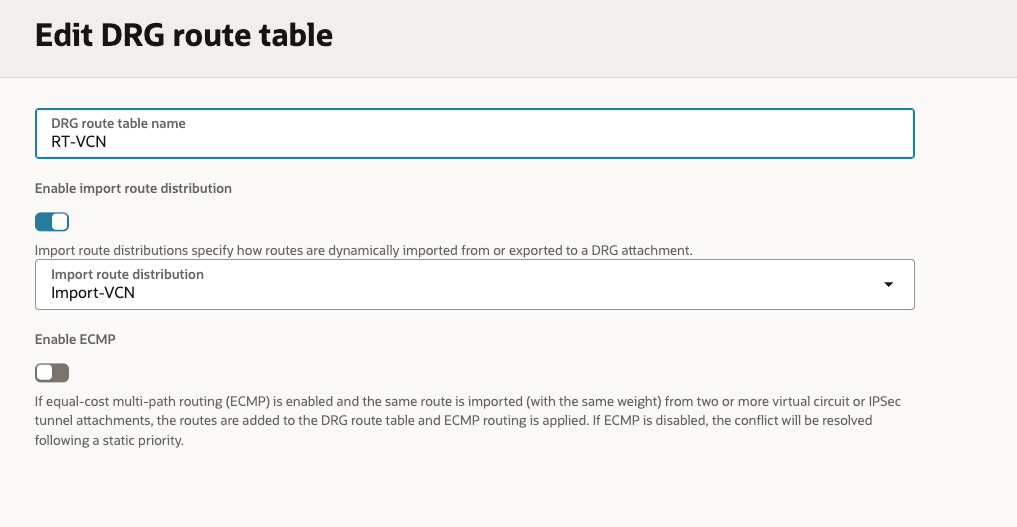
Here are the Attachments with the association to the respective Route Tables.
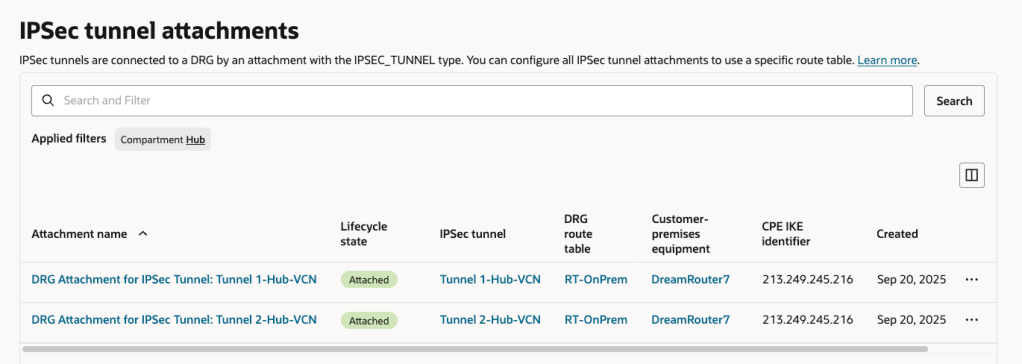

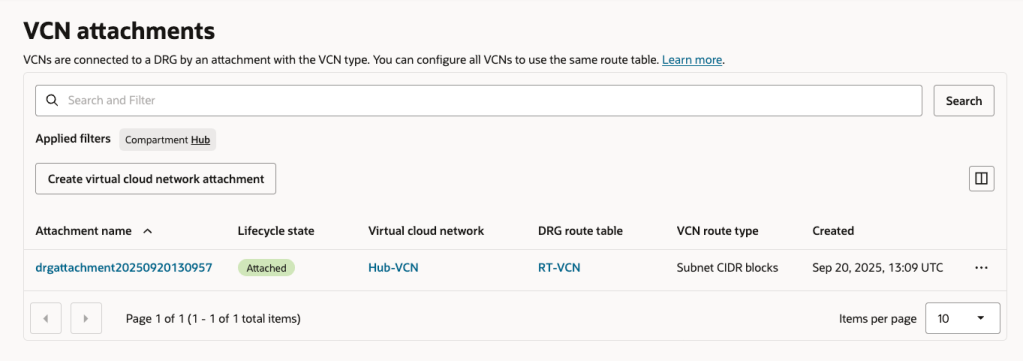
As a side note, if you are using a FastConnect rather than a Site-to-Site VPN for On-Premises to OCI connectivity the tweaks you’ll need to make to the configuration are:
- Replace IPSec Tunnel with Virtual Circuit in the Import Rules
- The On-Prem Route Table should be associated with the Virtual Circuit Attachment rather than IPSec Tunnel Attachment.
 Brendan's Tech Ramblings
Leave a comment