
Oracle recently enabled the Generative AI Service within the Frankfurt region in EMEA, I’ve been playing around with this using the Chat Playground which provides an easy way to experiment with the GenAI capabilities without writing any code. It’s also possible to tweak various parameters such as output tokens and temperature, which is fantastic for quick and dirty experimentation within a browser 🧪.
In the example below, I used the service to summarise a Blog post into bullet points:
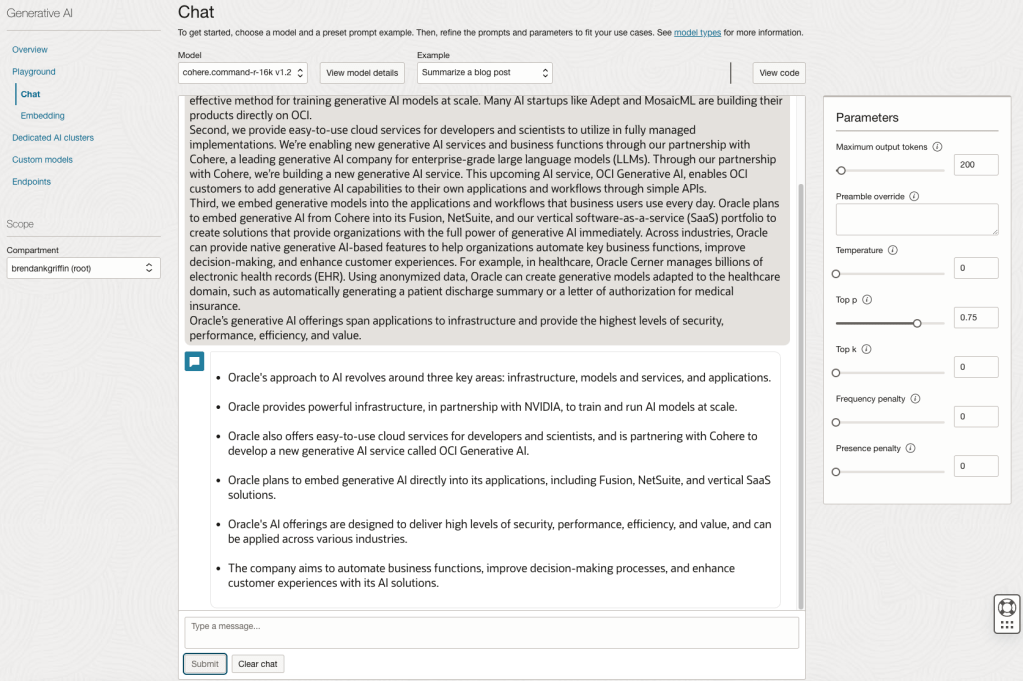
One super-useful feature included within the playground is the ability to generate code (Python or Java) to call the service, as a wannabee-coder anything that saves me time and brain power is always welcome 🧠.
If you click the View Code button, you can view the code that was auto-generated based on the request that was created using the playground.

I took this code and ran it within my test tenant however I ran into a small issue parsing the output, here is an example of the output that is written to the console by the script:

I wanted to simply output the text generated by the request to the GenAI service rather than all of the other information returned (such as the input request and headers).
To do this I ran the following commands to convert the output from JSON to a Python dictionary and then printed out the output message (which has an index of 1 – the original request has an index of 0). I placed this at the bottom of the auto-generated script
# Convert JSON output to a dictionary
data = chat_response.__dict__["data"]
output = json.loads(str(data))

# Print the output
print("----------------")
print("Summary Returned")
print("----------------")
print(output["chat_response"]["chat_history"][1]["message"])
Here is the script in action:

 Brendan's Tech Ramblings
Leave a comment