
I’ve recently created a Vault in OCI to store secrets, I have some Python scripts that I’m going to convert into OCI Functions and I wanted to avoid storing any credentials/keys directly within the script, one way to do this is to use OCI vault to store the secrets (credentials/keys) which the script can retrieve at runtime directly from the vault using resource principal authentication.
I created a vault and a master encryption key (which is used to encrypt secrets within the vault). Once I’d got these pre-req’s out of the way I added my first secret to the vault:

The secret is named MySecret and uses the master encryption key named BrendgMasterKey, the contents of the secret is the string SuperSecret1.
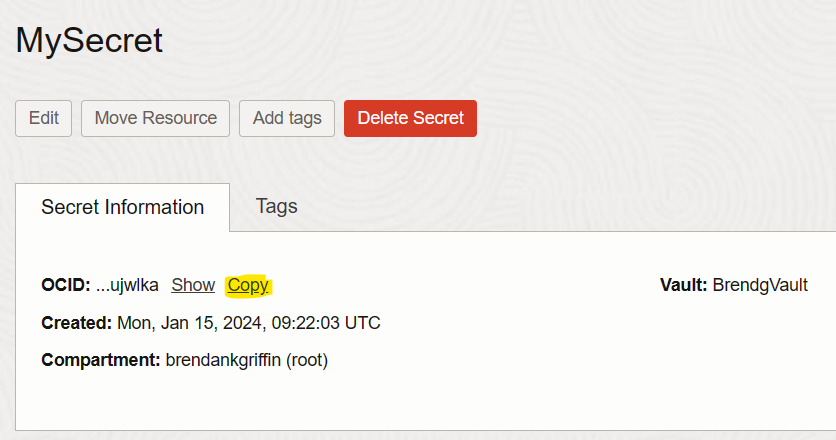
Once the secret had been created I needed to grab the OCID of the secret from it’s properties page (which I’ll use in the Python script to retrieve the secret).
Here’s the script I wrote, all I needed to do was to update keyOCID with the OCID of the secret. This does the following:
- Authenticates to OCI
- Get’s the secret using the OCID
- Decodes the secret from Base64 and print’s (secrets are returned from the vault in Base64 format)
import oci
import base64

# Specify the OCID of the secret to retrieve
keyOCID = "OCID"

# Create vaultsclient using the default config file (\.oci\config) for auth to the API
config = oci.config.from_file()
vaultclient = oci.vault.VaultsClient(config)

# Get the secret
secretclient = oci.secrets.SecretsClient(config)
secretcontents = secretclient.get_secret_bundle(secret_id=keyOCID)

# Decode the secret from base64 and print
keybase64 = secretcontents.data.secret_bundle_content.content
keybase64bytes = keybase64.encode("ascii")
keybytes = base64.b64decode(keybase64bytes)
key = keybytes.decode("ascii")
print(key)

Above you can see that the script retrieves the secret and prints this within the terminal. The script can be found on GitHub too – https://github.com/brendankarl/Blog-Samples/blob/main/OCI/GetSecretfromVault.py
 Brendan's Tech Ramblings
Leave a comment