
I was recently building a lab environment for Microsoft Intune, as part of this I needed to provision a Windows 11 machine as I needed to do some testing of Windows Autopilot. I decided to host this on Hyper-V (running on my Windows 11 desktop PC) rather than using a physical device to keep things simple (at least that was the idea!).
I ran into an issue during installation and received the following error message – “This PC doesn’t meet the minimum system requirements to install this version of Windows”.
To fix this I needed to enable TPM support within the settings for the VM, it’s also worth noting that the VM should be created as a Generation 2 VM.
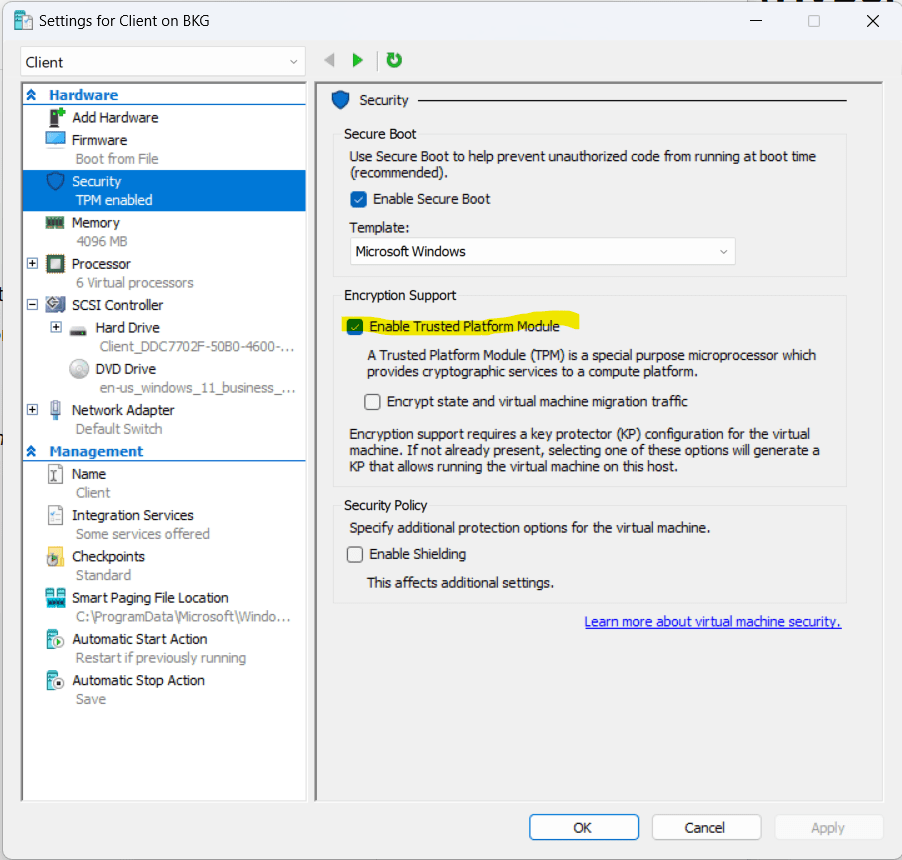
Once I’d enabled this setting I was able to successfully install Windows 11 🎉.
 Brendan's Tech Ramblings
Leave a comment