
I was recently working on an Azure deployment which used a Virtual WAN as the hub with a number of spoke Virtual Networks (VNets). Azure Bastion was to be deployed into one of the spoke VNets and the plan was that this single instance of Azure Bastion would provide the ability to RDP/SSH into VMs hosted in the other spoke VNets within the environment (which have been connected to the Virtual WAN hub). This saved deploying Azure Bastion into each VNet – which could have been quite costly 💷.
It turns out that when Azure Bastion is deployed into a environment that uses a Virtual WAN rather than VNet peering to connect VNets together, it cannot connect to VMs hosted in VNets outside of the VNet where Azure Bastion has been deployed unless:
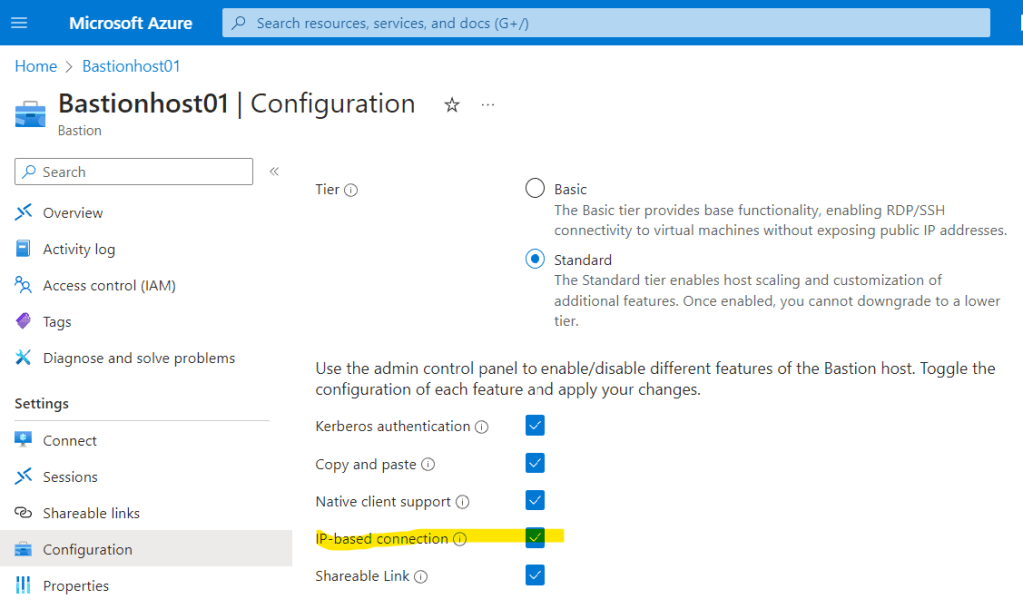
- Azure Bastion Standard is provisioned ✅
- IP-based connection has been enabled ✅
This is documented here.
Re-provisioning the Azure Bastion to use Standard rather than Basic and enabling IP-based connection fixed this:
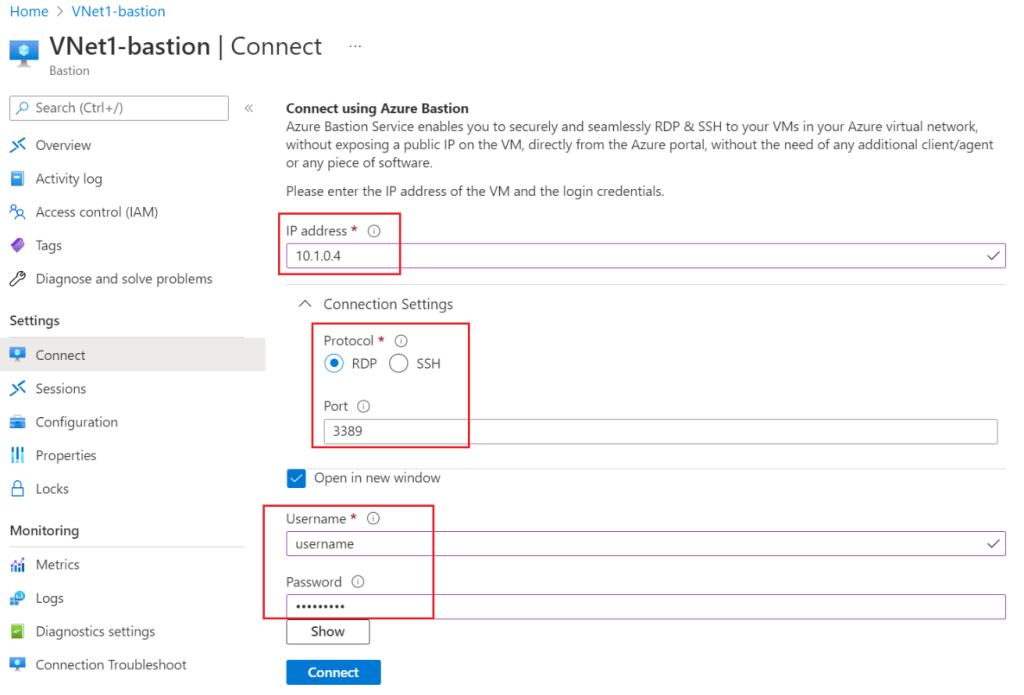
Once this had been done, I was able to connect to VMs in other VNets, however I needed to use the IP address to connect, the process of connecting via IP address is documented here.
 Brendan's Tech Ramblings
Leave a comment