
For my next personal project, I needed a way to convert speech to text (more on this in a future post), I decided to use Azure Cognitive Services to do this, specifically the Speech Service 🗣️.
There are code samples for a number of languages available here, I wanted to use the REST endpoint directly rather than the SDK that is available. The sample provided for REST uses Curl, however I prefer to use Python (specifically the Requests module).
I converted the REST sample to use Requests, this takes an audio file (in WAV format), sends this to the Speech Service for analysis and then returns the text identified from the audio file.
My updated script can be found below:
import requests

url = "https://REGION.stt.speech.microsoft.com/speech/recognition/conversation/cognitiveservices/v1?language=en-us&format=detailed" # update REGION with the appropriate region
key = "KEY" # cognitive services key
file_path = "C:/Users/brendg/OneDrive - Microsoft/Desktop/Weather.wav" # audio file to analyze
file_data = open(file_path, "rb").read()
headers = {"Ocp-Apim-Subscription-Key" : key,'Content-Type': 'Content-Type:audio/wav'}

r = requests.post(url,headers = headers, data=file_data)
result = r.json()
print(result["DisplayText"]) # print the analyzed text
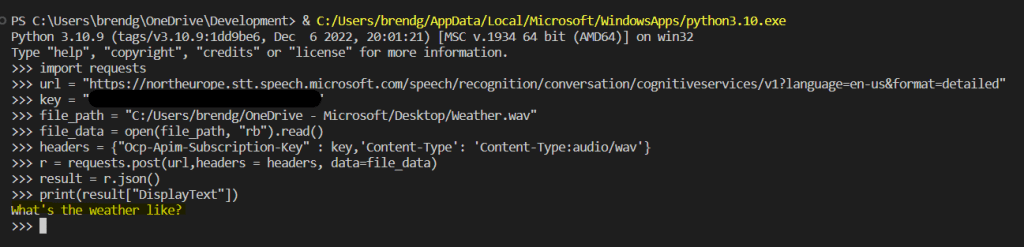
Here is an example of the output:
 Brendan's Tech Ramblings
Leave a comment